
The tour · real screens, demo league
Your whole season,in everyone'spocket.
Meet the Backyard Cornhole League, our demo league, five weeks into its season. Tonight's games, a live score from the board, standings that do their own math and a feed full of trash talk, all on the phones your crew already carries. Nothing to download.
Your first league is free.
Explore the app
Six tabs. The whole league.
Tap through what your players see on their phones. This is Jess, captain of the Corn Stars and commissioner of the league, on the night her team plays the unbeaten Bag Daddies.
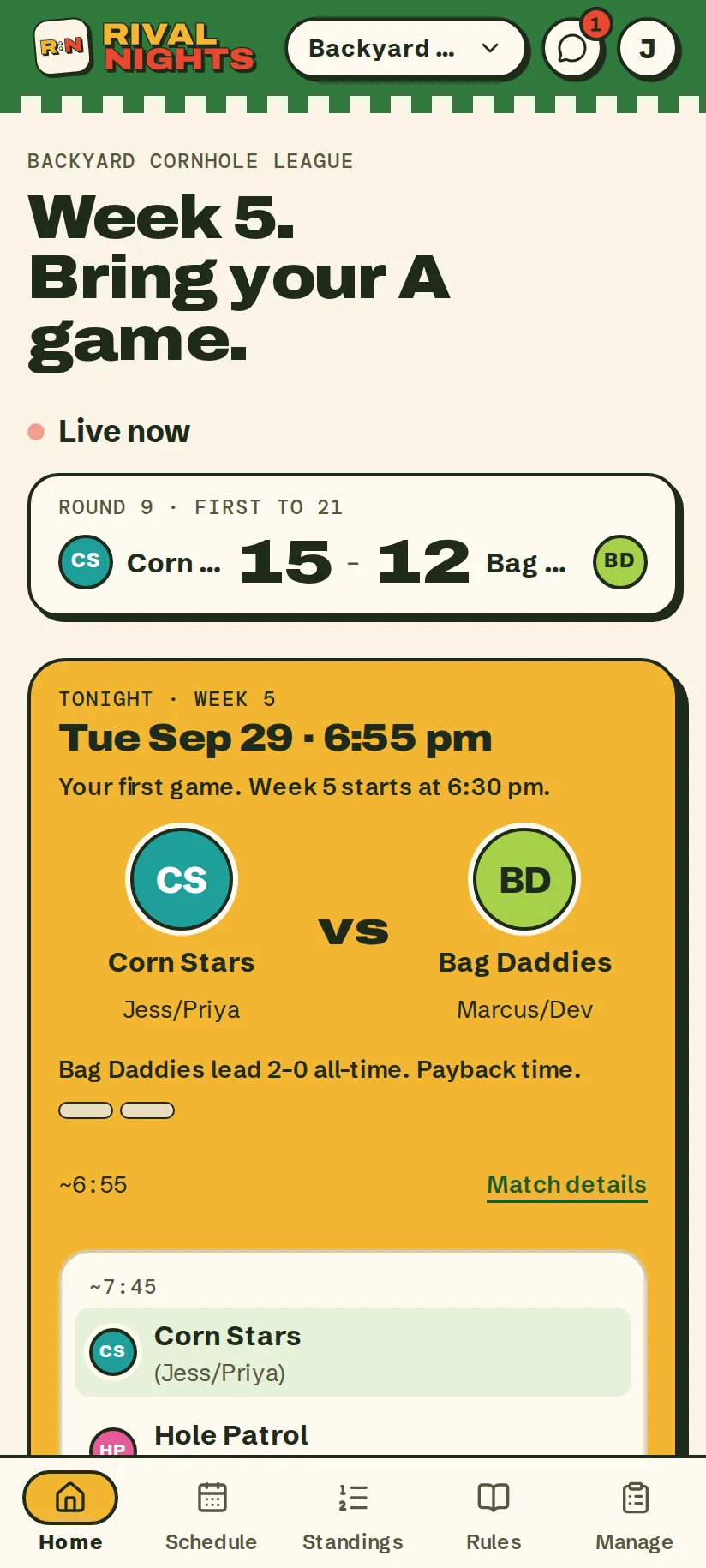
Tonight's game, front and center.
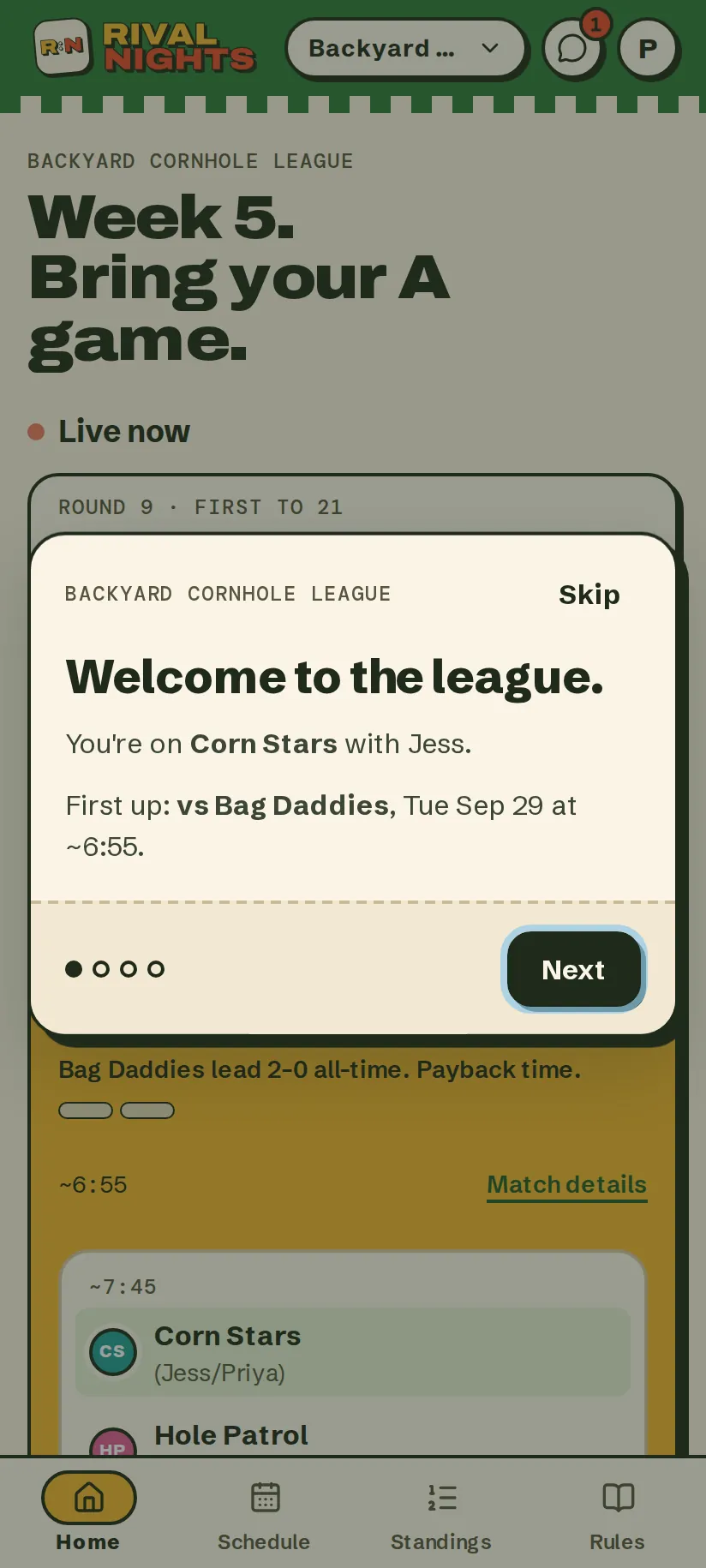
Open Rival Nights and the night is already sorted: who you're playing, what time, where the boards are, and your record against them for a little motivation.
- Your next game first, with the address and a map link
- Live scores from any game on the boards right now
- “Needs you”: results to enter, scores to confirm, make-ups to answer
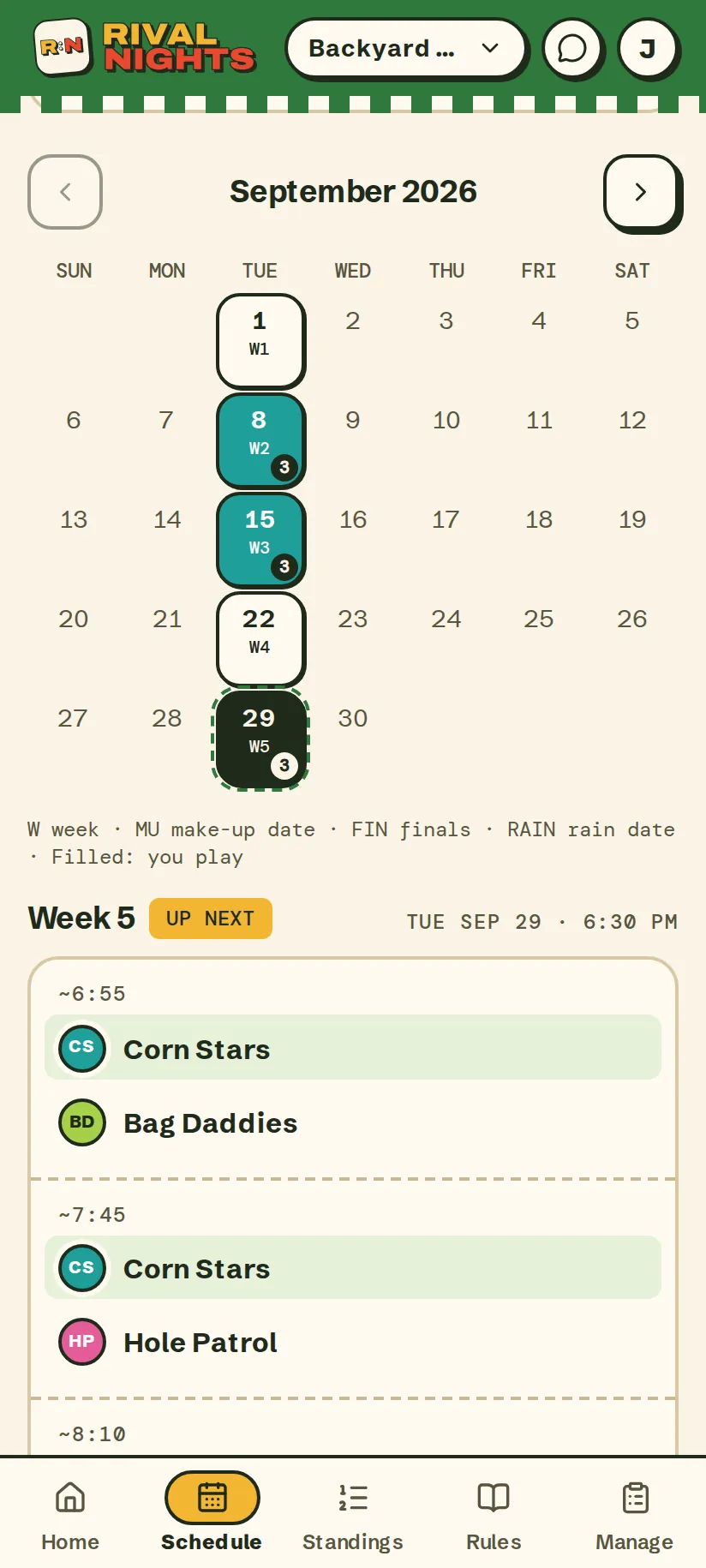
A fair schedule, drawn once.
Every team gets a round robin that fits your courts and how late you're willing to stay out. See your own games or the whole league, as a list or a month calendar.
- Make-up and rain dates held in reserve from day one
- Holidays skipped before the first invite goes out
- A reminder email three days out, and another on the day
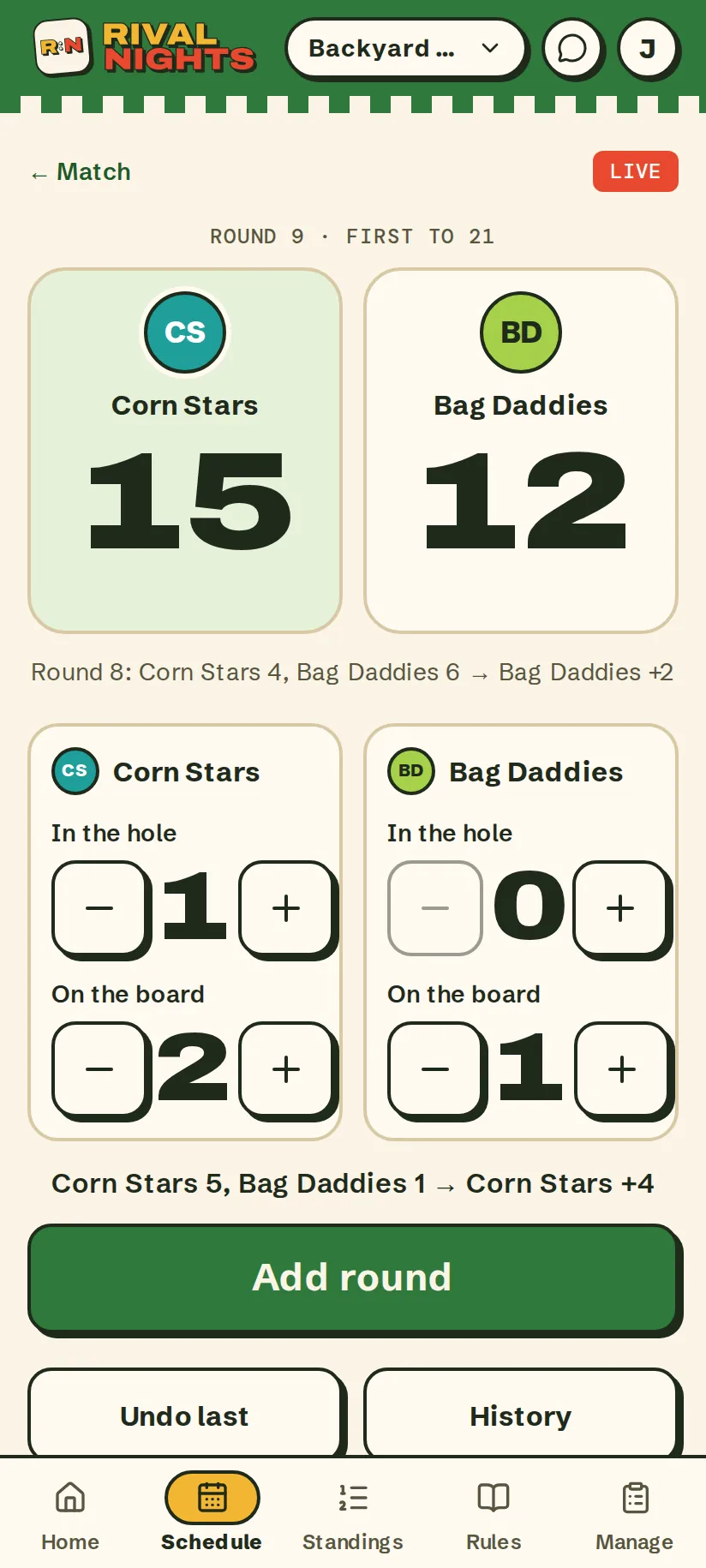
Keep score right at the board.
Tap in each round's bags: in the hole, on the board. Rival Nights does the cancellation math, and everyone else can follow the score from their own home screen.
- Made for each game: bags, frames, rallies and darts turns
- Undo and a full history for the round somebody fat-fingered
- Save it and the final score becomes the result
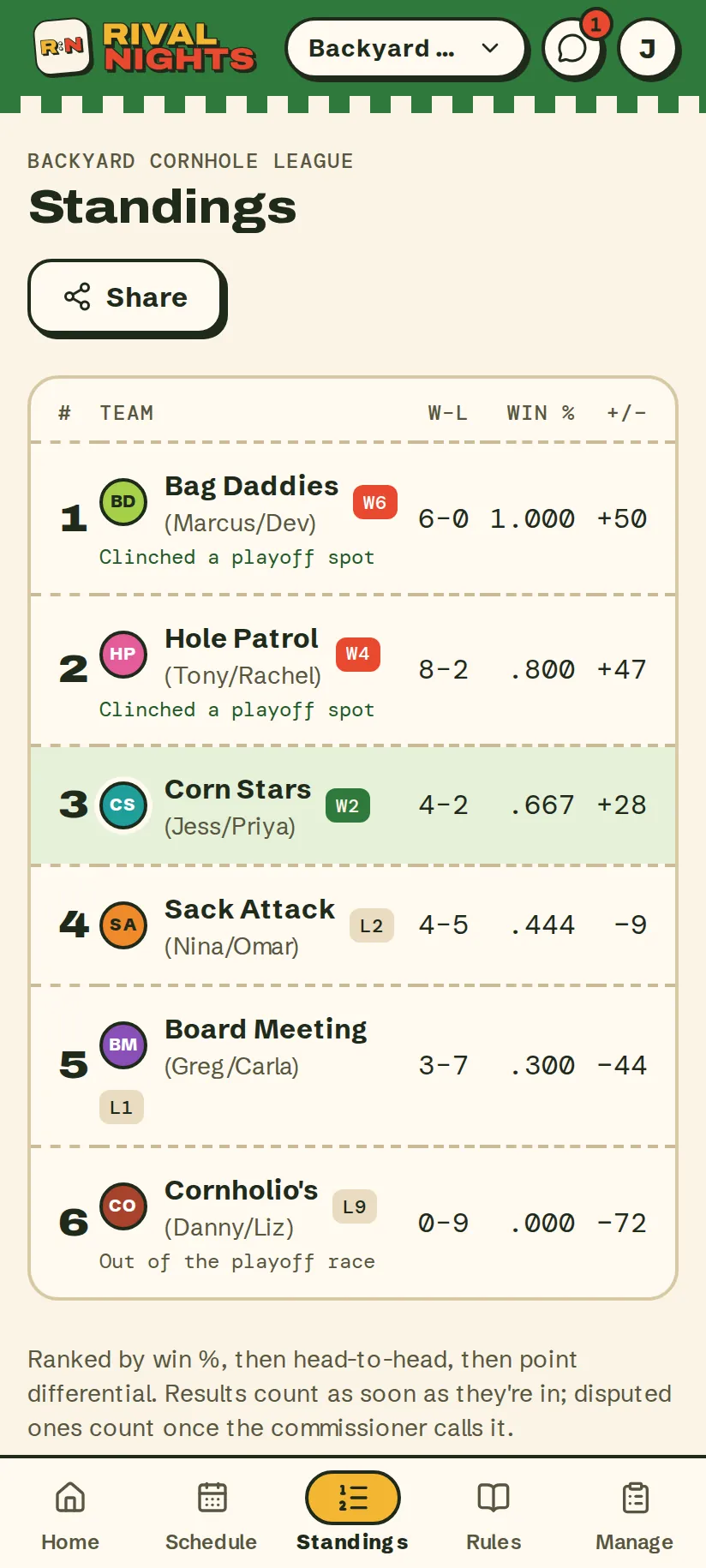
The table does its own math.
Results count the moment they're in. Rank, win percentage, point differential and streaks update themselves, and the playoff race calls it when a spot is locked up.
- Ranked by win %, then head-to-head, then point differential
- “Clinched a playoff spot” and “Out of the playoff race”, as soon as it's true
- A share card for the group chat, one tap away
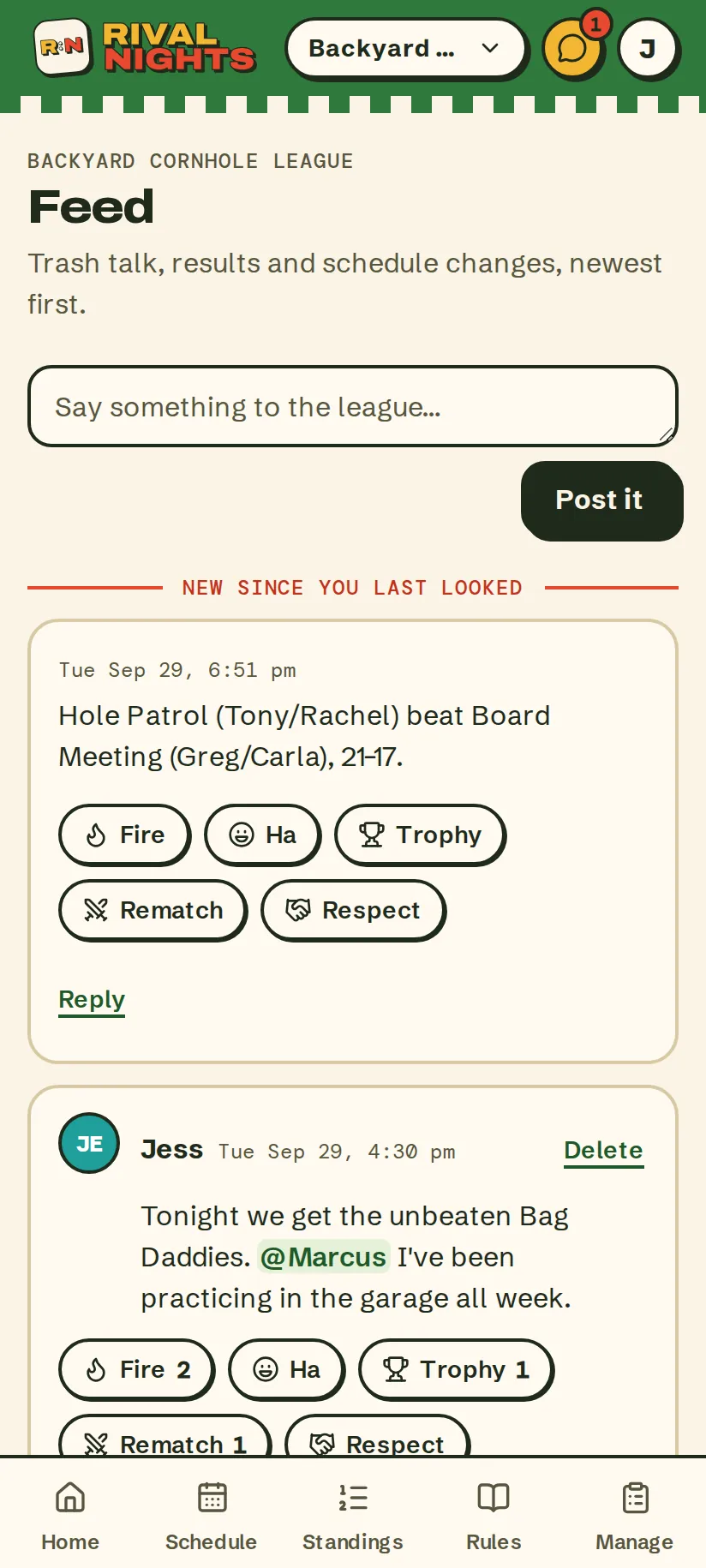
Trash talk, on the record.
Results, make-ups and schedule changes post themselves. Everything else is your league talking: posts, replies and reactions.
- @mention anyone in the league and they get an email
- Five reactions: Fire, Ha, Trophy, Rematch and Respect
- A “new since you last looked” line, so nobody misses the good stuff
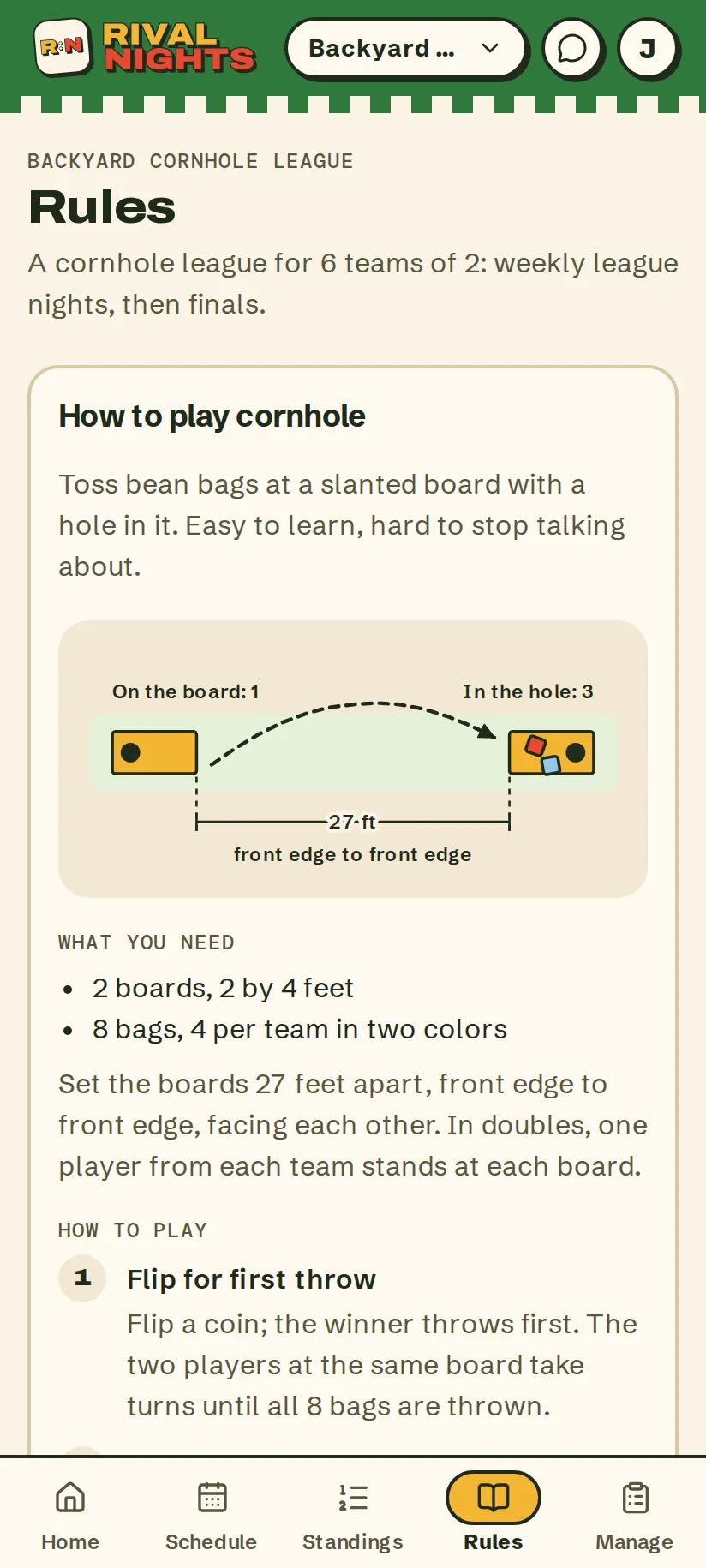
House rules, settled before the first bag.
Each built-in game comes with a how-to-play guide and a diagram, next to your league's format, tiebreakers and your own house rules. The “that's not how we play” debate ends early.
- Starter house rules for every game, yours to edit
- Scoring, game length, make-ups and forfeits in plain words
- Replay the welcome tour any time
Results
Scores from the court. Confirmed by the other team.
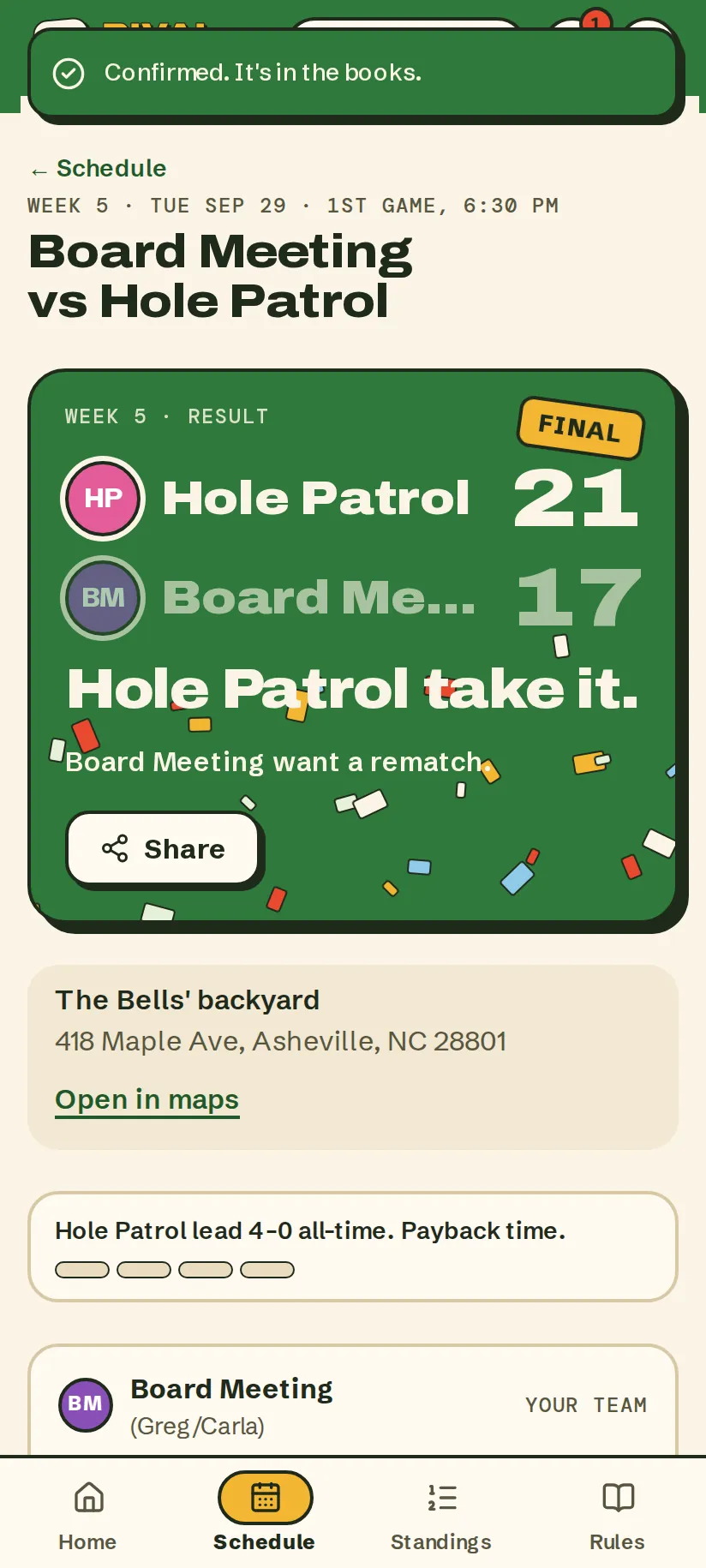
Whoever wins enters the score before the bags are picked up. The other team confirms it in one tap and the standings move. Nobody has to take anybody's word for it again.
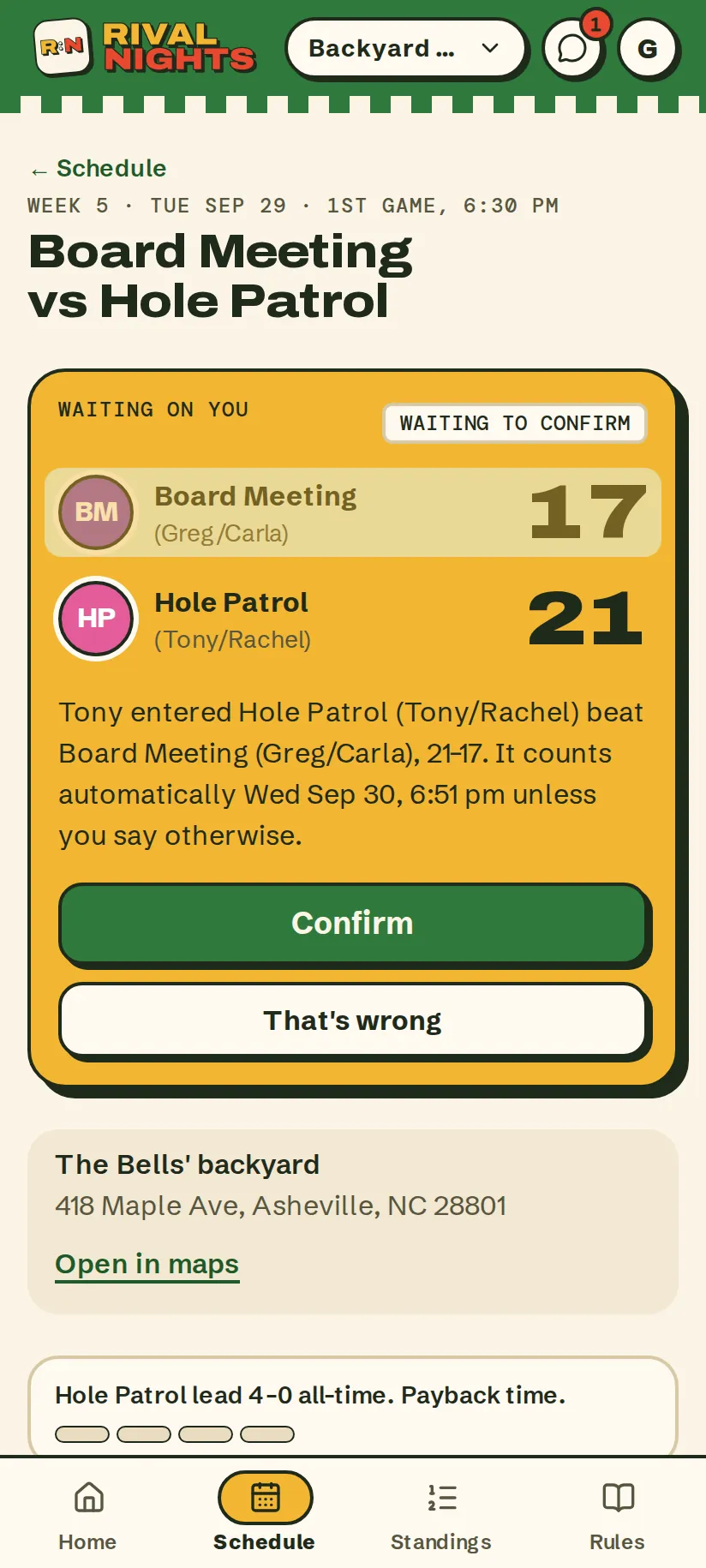
- The winners tap in the score from the court. The other team sees it waiting on them.
- No answer in 24 hours and it counts on its own, so nothing hangs over the standings.
- Disagree? “That's wrong” sends it to the commissioner to settle.
- Confirmed: the FINAL stamp, a little confetti, and a share card for the group chat.
Can't make it?
Somebody always can't make it. The make-up finds itself.
Tap “Can't make it” and choose: bring a sub, move the game, or forfeit. Move it, and Rival Nights proposes a night that works for both teams and tells everyone who needs to know.
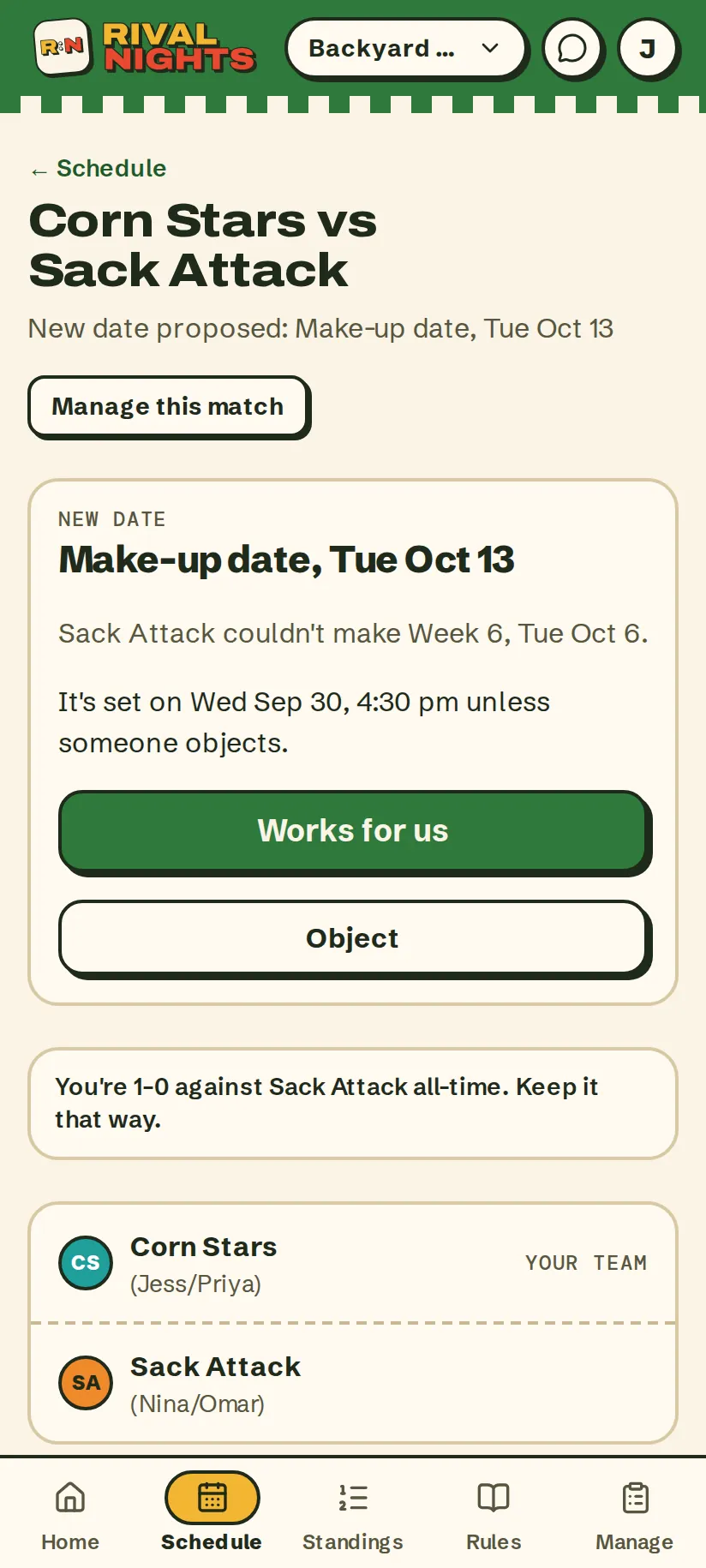
- Sack Attack can't make week 6, so their games go straight to the make-up night the league kept in reserve.
- It's set in 48 hours unless someone objects. No reply-all required.
- “Works for us” or “Object”: objecting lets the team pick another night instead.
Your calendar
On everyone's calendar. And it keeps up.
Nobody has to copy dates out of a group chat. Players add the league to the calendar they already use, and a reminder email lands three days before each game and again on the day.
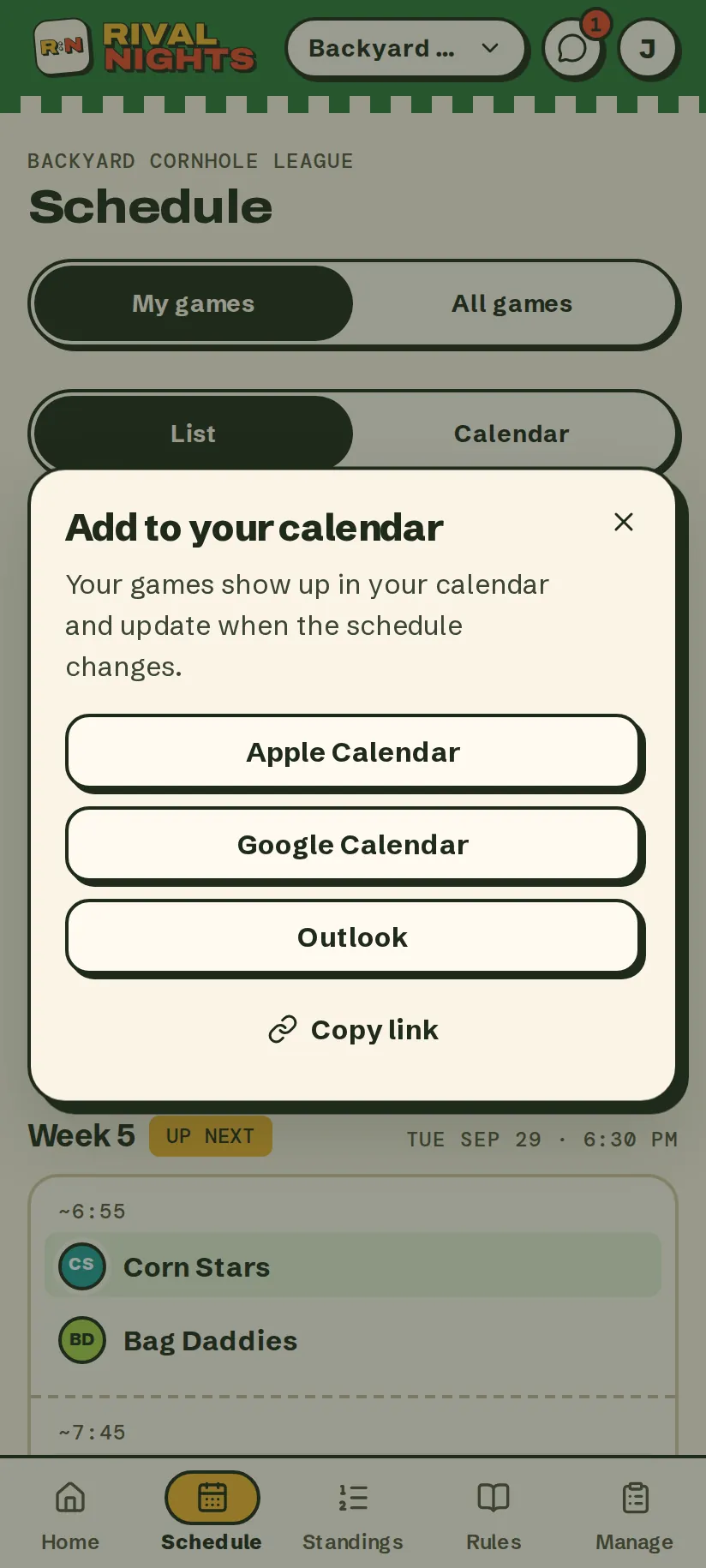
- Every league night on a month calendar; the filled ones are the nights you play.
- Apple, Google or Outlook: subscribe once and the calendar updates itself when a night moves.
For the commissioner
Eight quick steps. Then the season runs itself.
Pick the game, your nights, the dates to skip and a format, then add the teams. Nobody sees a thing until you publish, and then the invites, reminders and make-ups are handled.
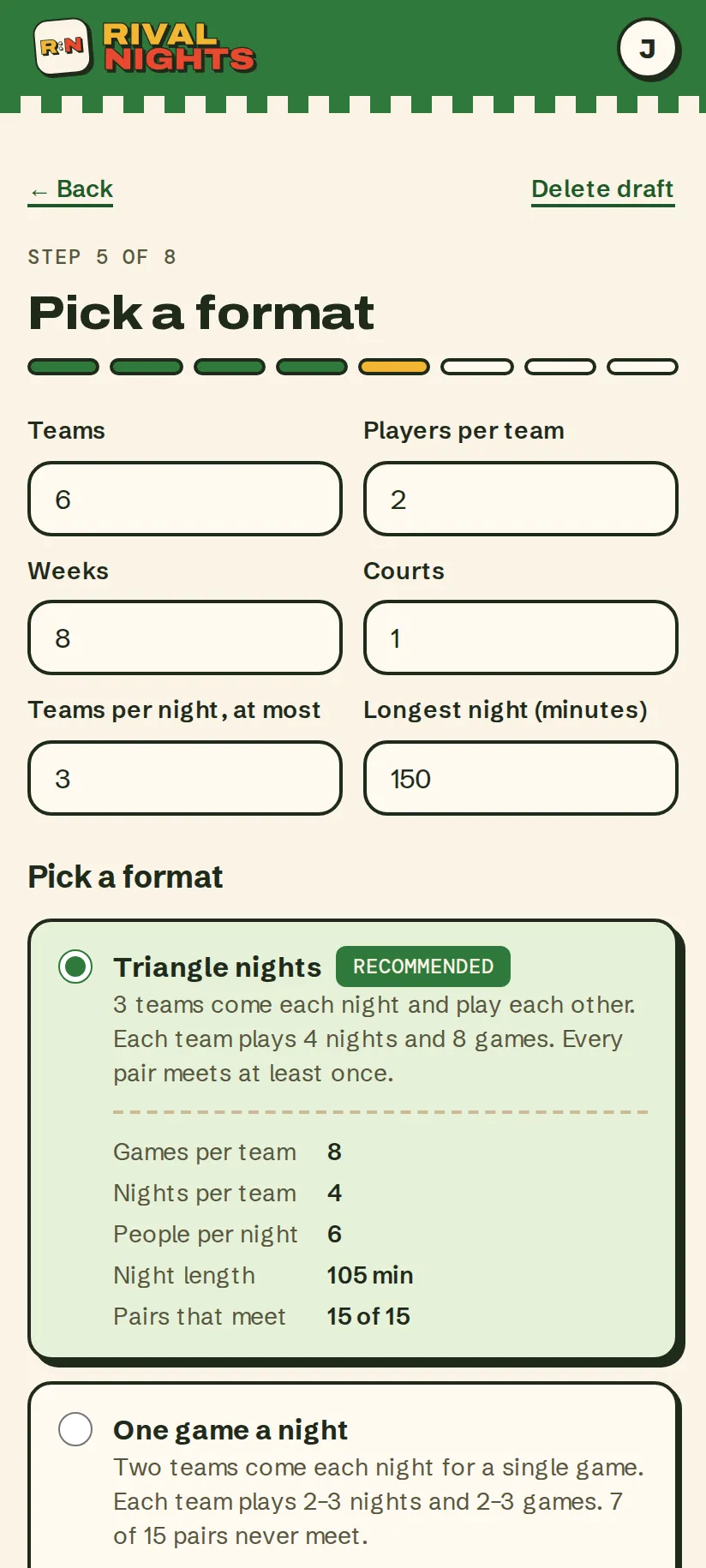
- Eight quick steps, each with a good default: tap Next all the way through and you still get a fair schedule.
- Formats that fit your teams, courts and how late a night can run, with the best one picked.
- Games per team, night length and how many pairs meet, before you commit to anything.
By the numbers
- built-in games, or bring your own
- 6Cornhole, pickleball, ping pong, darts, bocce and kubb, plus anything else you play.
- quick steps to set up a season
- 8Every one with a good default.
- hours to object to a make-up
- 48Then it's set. No reply-all required.
- passwords to forget
- 0Everyone signs in with a 6-digit code from their email.
Phone, tablet or laptop
Made for the phone at the board. Fine on the big screen.
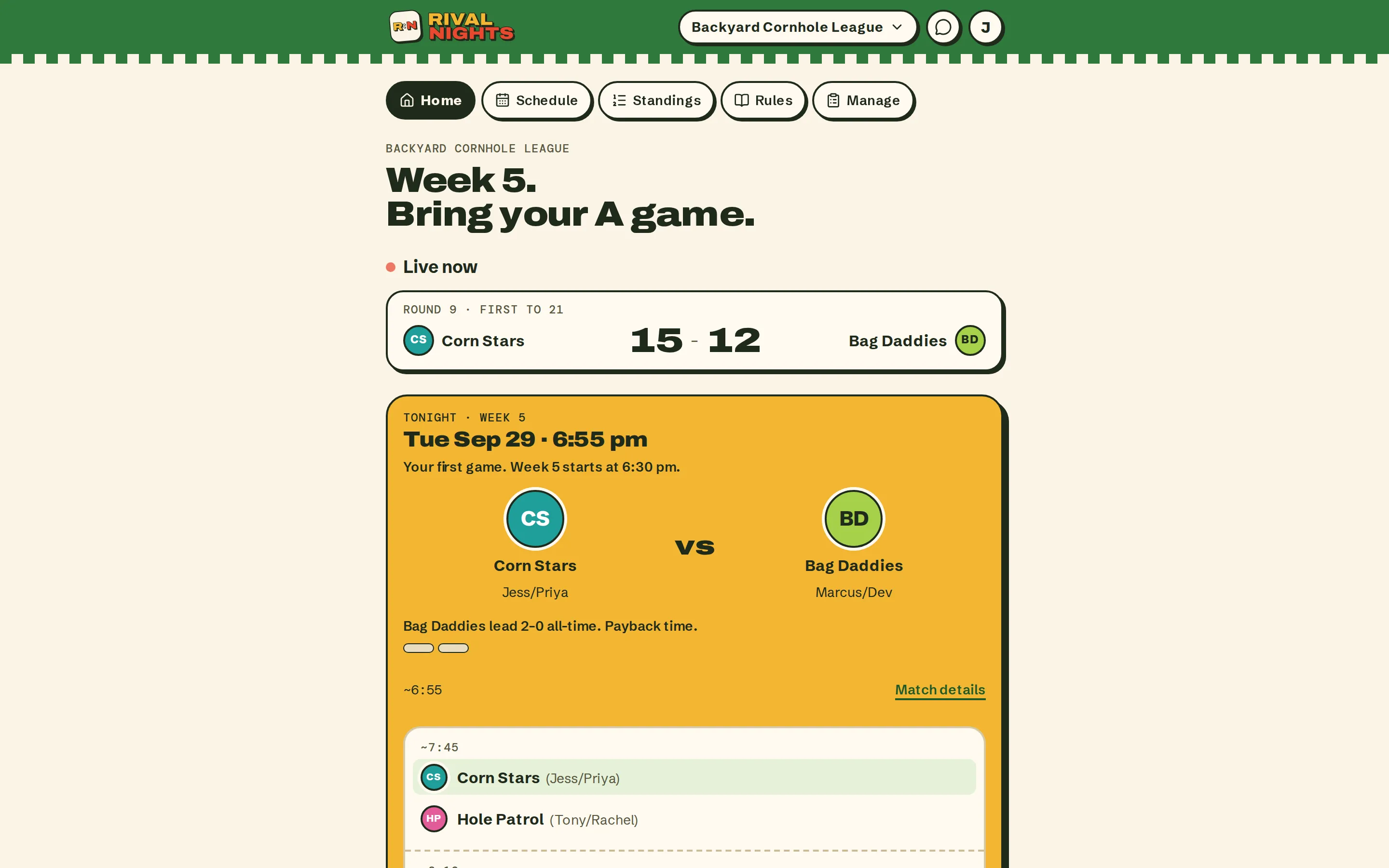
Rival Nights runs in the browser, so the commissioner can set up the season on a laptop and everyone else can keep score from their phone. Same league, same live score, no app store.
How it works
From first invite to finals.
Set it up
The game, your nights, dates to skip, a format, house rules and the teams. Eight quick steps, every one with a good default.
Invite by email
Players tap the invite, sign in with a 6-digit code and land on a quick welcome tour. No passwords, no app store.
Play your nights
Scores go in from the court, the other team confirms, and make-ups sort themselves out.
Crown somebody
Standings, clinch lines, a playoff bracket and a champion. Then the share card goes to the group chat.
Your first league is free.
Who it's for
Something for everyone on the lawn.
- Commissioner
For the one who organizes everything
Set it up once. Rival Nights does the admin you used to do in a spreadsheet at midnight.
- A fair schedule in eight quick steps
- Fix a result, approve a make-up or swap a player
- Announce something to the whole league by email
- Player
For everyone who just wants to throw
Show up, play, tap in the score. Your nights are on your calendar and your record is on your home screen.
- Your next game, time and place up top
- Enter or confirm a score in one tap
- Can't make it? Sub, move or forfeit in seconds
- Friends & family
For the folks in the lawn chairs
When the commissioner turns on spectators, anyone with the link can follow along. No account needed.
- Schedule, standings and results by link
- Nothing to sign up for
- They never see anyone's email address
Ask your commissioner for the league's link.
Straight from the app
It talks a little trash.
No made-up reviews here. Every line below is real copy from the screens on this page. Friendly. Mostly.
Week 5. Bring your A game.
Home, on a game night Bag Daddies lead 2–0 all-time. Payback time.
Before a rematch Hole Patrol take it. Board Meeting want a rematch.
The FINAL card You're 1–0 against Sack Attack all-time. Keep it that way.
A make-up game Confirmed. It's in the books.
After you confirm a score You're in. Go get 'em.
Signing in
That's their season. Ready to start yours?
Set it up tonight, send the invites, and the season is on everyone's calendar before the group chat finishes arguing.
Your first league is free. Then $3 a player per season, never more than $60, and on a season of up to 20 players your crew can split it.